
STEP-BY-STEP GUIDE
How to build a small resource directory in Adalo
Create a first Adalo project using a resource collection, a list, a detail screen and a submission form, then verify permissions and preview.
A resource directory is a useful first Adalo project because it connects the core pieces of an app without requiring a complex business process. This documentation-based exercise uses fictional learning resources and ends with a working browse-and-submit flow.
Prepare three sample records, each with a title, short summary and public website URL. Keep personal or confidential information out of the practice data.
Based on official documentation, not a hands-on product review. Screenshots are attributed vendor examples. Interfaces and plan limits may change.
1. Create the app and choose its layout
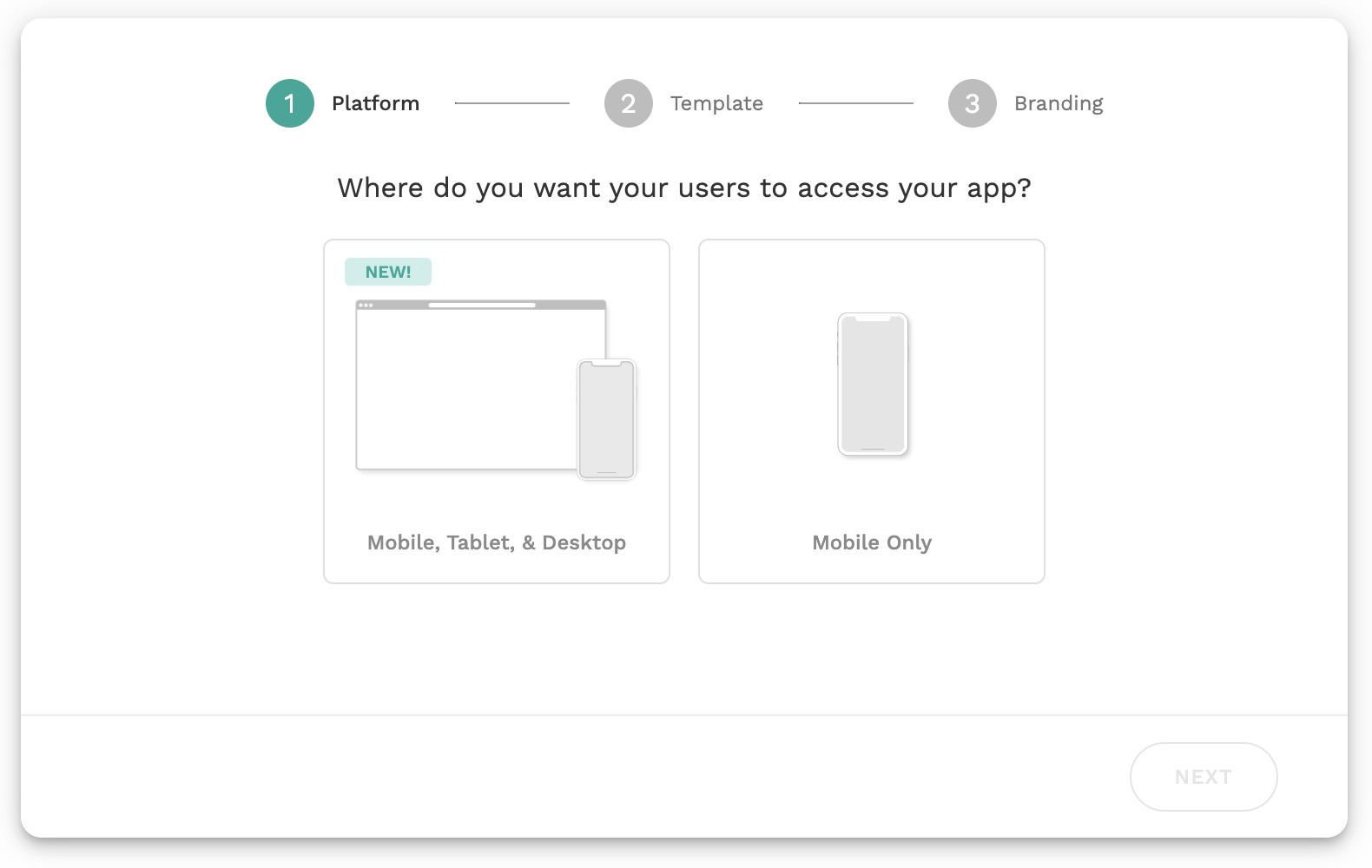
Create a new app in Adalo and select the screen sizes your audience needs. Mobile Only is a manageable starting point for this exercise; choose the responsive option if desktop use is central. Start from a suitable template or Blank, then name the project and set its branding.
2. Add a Resources collection
Open Database and add a collection called Resources. Use text properties for Title, Summary and Website URL. Add your three sample records through the collection's records view.
Use distinct titles, so it will be obvious later if the wrong record opens. You are building a repeatable data structure: every resource has the same kinds of information even though the values differ.
3. Connect a list and a detail screen
Place a list component on the directory screen and select Resources as its collection. Configure its text to display the resource title and a short summary. Use the collection's dynamic values rather than typing one fixed title into every row.
Add a Link action from the list item to a resource-detail screen. Configure that screen to display the selected resource. Add an external link using its Website URL and a Back action for returning to the list. Verify the record selection with two different resources.
4. Add a submission form
Create a screen with a form connected to Resources and set it to create a new record. Include Title, Summary and Website URL, then give the submit button a clear label. Adalo's form documentation also describes adding a navigation action after submission.
This is an unmoderated practice flow: a submitted record joins the collection. A public directory that needs approval should have a separate review workflow before accepting real contributions.
5. Configure access and test the result
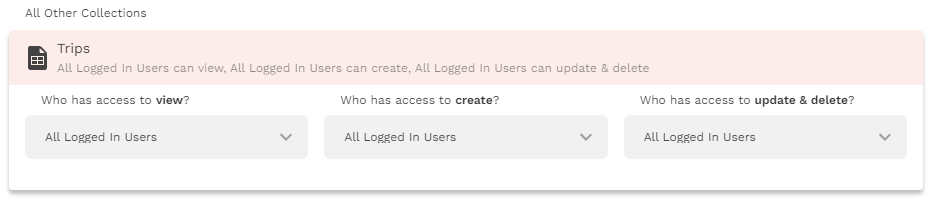
Review collection permissions before sharing. Decide who may view the directory, submit resources, and update or delete entries. Configure database rules to match those decisions, then align the visible buttons and forms with the same roles.
Use Preview to open different resources, follow the website link and submit a clearly labeled sample. Confirm that the new record appears once and contains the expected values. Test the experience without signing in if anonymous viewing is part of the plan.
When the complete flow works, review the current publishing requirements. Sharing a published web version and submitting a mobile-store build are separate release choices.
Questions before you start
Why does every detail screen show the same resource?
Check that the list is connected to Resources and that the detail screen uses the selected record's values rather than fixed text. Retest by opening two differently named records.
Does hiding an edit button protect the records?
No. Configure collection permissions as well as the visible interface. Adalo documents these as separate controls.
Sources and review notes
Provider documentation checked September 17, 2026. Our fit recommendations and practice tasks are editorial guidance; they are not endorsements by the providers or guarantees of results.