
TOOL OVERVIEW
Bolt Business explained: employee rides, travel rules and billing
Understand Bolt Business, including company-pay versus employee-pay, group policies, reporting and the checks to make before rollout.
Bolt Business is a business travel and expense-management offering built around Bolt services. It is relevant when employees regularly need work rides and the company wants a consistent way to manage access, spending and records.
This is the Bolt Business mobility service. The useful decision is whether its coverage and account controls fit your team's travel, rather than how it compares with app-building software.
Based on official documentation, not a hands-on product review. Screenshots are attributed vendor examples. Interfaces and plan limits may change.
What the company portal does
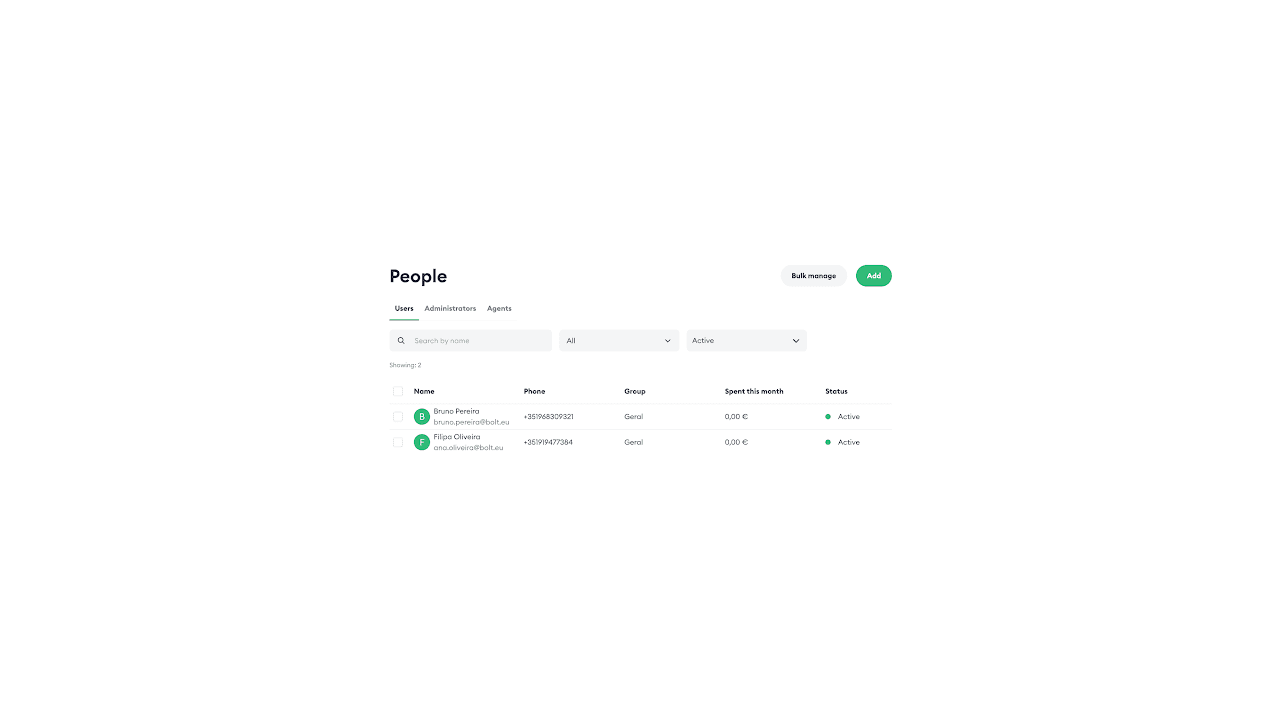
Bolt's business portal brings employee administration, groups, policies, ride records and billing documents into one place. Administrators can add or deactivate employees, review orders and download supporting records. Ride Booker is also available for arranging rides through the portal.
That creates a practical starting point for an operations team: decide who may travel, assign the appropriate access and review the resulting activity. The process still needs an owner who keeps employee details and rules current.
Choose how rides are paid
The distinction that matters most is company-pay versus employee-pay. In company-pay, the company covers rides through centralized payment or an approved postpaid arrangement. In employee-pay, staff pay with their own personal or corporate cards and reclaim expenses through the company's process. The portal still provides reporting and policy controls.
Do not assume every Bolt Business setup eliminates reimbursement. The employee-pay model retains it, and Bolt says that model must be enabled by its team. Confirm the applicable setup, fees and billing details for your account before onboarding staff.
How travel controls work
Groups organize people with similar travel needs. Policies can address spending, ride counts, days and times, service types, locations and expense tracking. Link the chosen policy to the relevant group so the rule has a clear audience.
A small pilot is helpful here. One team's real needs may include late shifts or a different office location. Use that feedback to make the policy understandable and workable. Bolt's support documentation also states that these policies do not apply to Ride Booker trips, so review that workflow separately.
What to check against manual reimbursement
With manual reimbursement, employees usually collect receipts and submit claims through whatever process the business already uses. Bolt Business adds portal-based administration and travel records; company-pay can also remove the need for employees to advance the ride cost. These are workflow differences, not a measured savings claim.
Check the cities where employees actually travel, available services, the billing arrangement and the finance team's required report fields. Review a sample reporting cycle before expanding access. The official guide describes filtering rides and exporting reports, which gives finance a concrete output to assess.
Who should shortlist it
Consider Bolt Business when work rides are frequent enough that consistent rules and records would be useful. Start with a defined team and an agreed travel policy. If your employees rarely travel in supported locations, coverage will matter more than the convenience of a central portal.
Questions before you start
Does Bolt Business always remove employee reimbursement?
No. Company-pay covers rides centrally; employee-pay retains the company's expense-reimbursement process.
Are the same services available everywhere?
No. Check the countries, cities and services relevant to your account and employees before choosing a rollout scope.
Sources and review notes
Provider documentation checked September 17, 2026. Our fit recommendations and practice tasks are editorial guidance; they are not endorsements by the providers or guarantees of results.